Sheru Bhai Video: 7-Step Workflow + Fixes
Last updated:
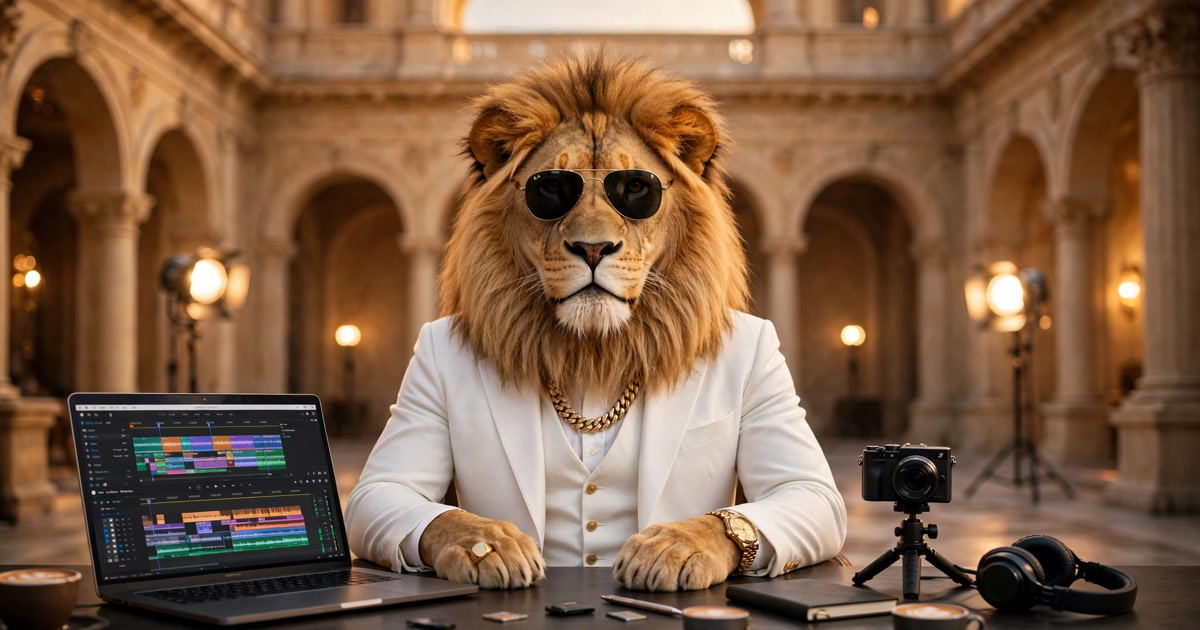
Making a Sheru Bhai video on this site takes seven steps: pick a play or a photo scene, add a line if you want one, and generate a silent 720p clip. One video costs 50 credits. You can also copy a free prompt and make your own elsewhere.
Start from the generator
Make your video right here: pick a play or a photo scene, add your line, upload a photo if the scene needs one, and generate your 720p clip.
Create your video
Dialogue Cut
50 credits1Choose your video
2Pick a play
3Pick a rival
4Dance style
5Length
6Sheru's line (optional · Hindi or Hinglish)
This play uses the fixed Sheru image — no photo needed.
Before you start
Four things to have ready.
An account
Sign in with Google or an email code. You need an account to spend credits and keep your videos in My studio.
50 credits per video
One video costs 50 credits, whatever the play or scene. Packs start at $4.90 for two videos — see the pricing page. A failed render refunds the 50 credits automatically.
A photo (only for some scenes)
Turn me into Sheru and all nine Photo with Sheru scenes need one photo of you: a clear front-facing photo, shoulders up, arms down, good light. It must be you, an adult, and you must be fine with it being used to make the video.
A phone or a computer
Everything runs in the browser. No app to install, no editing software needed.
Make your video in 7 steps
The whole flow, start to finish.
1. Pick a category
Pick a play — six viral scenes, most need no photo — or Photo with Sheru, nine scenes with your photo beside the lion.
2. Pick a play or a photo scene
Auction boli, Boss entry, Buys school, Beta’s rescue, Don vs Don, Turn me into Sheru — or a photo scene like the palace garden, the red carpet or the cafe booth.
3. Pick a style or a rival
Plays let you pick a style: Dialogue Cut (10 seconds, 6 shots), One Take (8 seconds, one shot) or Slow Royal (10 seconds, 3 shots). Auction and Don also ask you to pick a rival: Kala Don, Dog Don or Black Wolf.
4. Add your line (optional)
Type a line in Hindi or Hinglish — “Meri boli, ek arab!” is the classic. Leave it empty and the scene uses its default line. Lines are mouthed, not spoken: the video is silent and the line shows up as a caption on the page.
5. Upload your photo (if the scene needs one)
Turn and every Photo with Sheru scene need one photo of you. The site keeps it private, uses it only to make your video, and deletes it automatically after 7 days.
6. Generate and download
One video costs 50 credits and takes a few minutes. When it is ready, download the MP4 — vertical 9:16, 720p, no watermark.
7. Post it to Shorts or Reels
The clip is already vertical 9:16 and 720p, ready for YouTube Shorts, Instagram Reels or TikTok. Put your line in the caption — the video itself has no sound.
If a render fails, its 50 credits come back automatically — no need to ask.
Common problems and fixes
The six things that trip up most first tries.
| Problem | Fix |
|---|---|
| Sheru’s face changed between shots | Check the reference image: every clip reuses the same fixed Sheru image. If a shot drifts, regenerate — the character lock is in the prompt. |
| The clip starts frozen | The prompt asks for every shot to be already moving on its first frame. If a render still opens on a still, regenerate it. |
| Text appears on screen | Our prompts forbid on-screen text, subtitles and watermarks. If text still shows up, regenerate the clip. |
| The line is cut off or doesn’t match the mouth | Shorten the line to 10–22 words and try again. Long lines get clipped at 8–10 seconds. |
| The safety scan refuses the request | A word or the photo tripped the content scan. Change the wording, use a different photo, and try again. |
| Not enough credits | Buy a pack on the pricing page, or wait for a failed render’s automatic refund. A failed render always returns its 50 credits. |
Short version in Hinglish
The seven steps as a quick Hinglish checklist.
- Homepage par generator kholo — Pick a play ya Photo with Sheru chuno.
- Play ya photo scene select karo — Auction boli, Boss entry, Don vs Don, ya palace garden.
- Style chuno (Dialogue Cut, One Take, Slow Royal) — Auction/Don mein rival bhi chuno.
- Apni line likho (Hindi/Hinglish) — khaali chhodo to default line chalegi.
- Photo upload karo — sirf Turn aur Photo with Sheru scenes ke liye.
- Generate karo — 50 credits, 720p silent video, MP4 download.
- Shorts ya Reels par post karo — caption mein apni line likh do.
More ways to play
Once the video is done, try these.
Free prompts
Copy a free Sheru Bhai prompt and make the image or video yourself in Gemini or Flow.
Dialogue dictionary
Every famous line — “Meri boli, ek arab”, “Tadpan tadpan”, Kala Don, Dog Don — and what it means.
4K wallpapers
Sixteen Sheru Bhai phone and desktop wallpapers — free in HD 1080p, 4K without watermark from ₹49.
Video templates
Fifteen ready-made scenes with the full prompt — start from the Auction boli template.
FAQ
Can I make a Sheru Bhai video for free?
Yes, with the free prompt generator: it writes the fixed character prompt in your browser, free, with no sign-up. Copy it and paste it into Gemini or Flow to make your own image or video. Making a video on this site costs 50 credits — the site renders it for you, in 720p, with no editing.
How many scenes do I need for a 30-second video?
One video on this site is 8 or 10 seconds, so a 30-second story takes three or four clips. Keep the same fixed Sheru image and the same style across all of them so the lion looks the same, then join the clips in any video editor — the site doesn’t stitch clips together.
Why did Sheru’s face change?
The face drifts when the reference image changes or the character lock is missing. Every clip on this site reuses the same fixed Sheru image, so regenerate with the same play and the same reference and the lion stays the same.
The line doesn’t match the mouth — what do I do?
Shorten the line to 10–22 words. The clip is 8–10 seconds, and a long line gets clipped. The video is silent, so the line is mouthed only — it appears as a caption on the page, not as sound.
How do I join several clips?
Download each MP4 and join them in CapCut, InShot, or any editor on your phone. Keep the same style and the same fixed image so the cuts look like one story.
Can I do this without a computer?
Yes. The whole flow runs in your phone’s browser: pick a play, add a line, upload a photo, generate, and download the MP4. No app to install.
Can I post it to Shorts and Reels?
Yes. Every video is vertical 9:16, 720p, and silent — made for YouTube Shorts, Instagram Reels and TikTok. Put your line in the caption, since the video itself has no sound.
Your Sheru Bhai auction starts with one prompt
Try it for $1.99 / ₹179