Sheru Bhai Video Prompt – Free Prompts
Last updated:
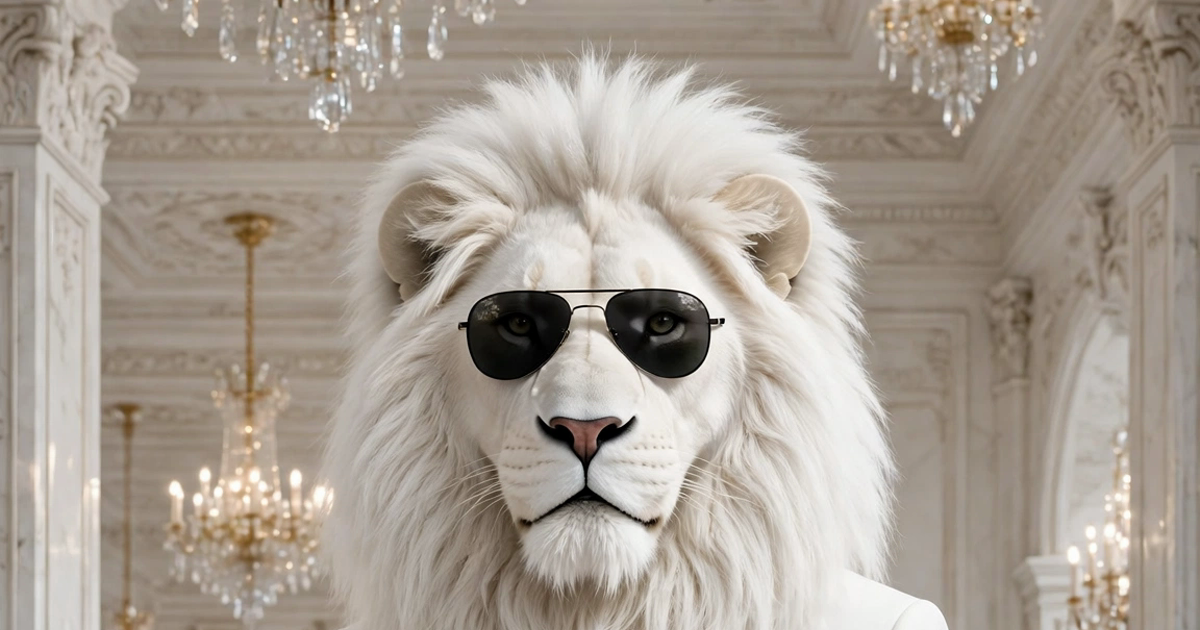
A Sheru Bhai video prompt is the text you paste into a video tool so it draws the same white lion every time. This page gives you the prompts — the fixed character block and the seven plays from this site’s free generator. It does not render a video on this site: you paste the prompt into Gemini, Flow or Veo, and that tool makes the clip.
How to use a video prompt
Copy the fixed character block below, then copy the play you want. Open Gemini, Flow or Veo, upload the fixed Sheru image as your reference picture, paste the prompt, and ask for a vertical 9:16 clip of 10 seconds. If the tool lets you set the length, pick 10 seconds — every play on this page is written as 6 shots in 10 seconds.
When the clip comes back, check three things before you post it: the sunglasses stayed on, the hands never touched the chain, and the rival — if there is one — has jet-black face fur, not brown. If anything drifted, paste the same prompt again, word for word.
| Step | What to do |
|---|---|
| 1. Copy | Copy the fixed character block and one play prompt |
| 2. Reference | Upload the fixed Sheru image as the reference picture |
| 3. Paste | Paste the prompt into Gemini, Flow or Veo |
| 4. Render | Ask for vertical 9:16, 10 seconds, hard cuts only |
| 5. Check | Sunglasses on, hands off the chain, rival jet black |
The fixed character block
Every prompt starts with this block, word for word. It never changes — it is what keeps the lion the same from one clip to the next: “A tall anthropomorphic white lion man with a thick snow-white mane and pale gold eyes, wearing a tailored white three-piece suit, a gold Cuban-link chain, a gold wristwatch, gold rings and black aviator sunglasses.”
If you change a word here — a different suit, no chain, no sunglasses — the tool will draw a different lion. Keep the block fixed and change only the scene and the line.
The seven plays
Each play is one fast scene: 6 shots in 10 seconds, vertical 9:16, hard cuts only, one character alone and centred in every shot, every shot already in motion on its first frame, ending mid-motion with no end pose. The full prompt for each play is in the free generator on the home page; this table is the short version.
| Play | Scene | Spoken line |
|---|---|---|
| Auction boli | Palace auction hall, gold paddle | Meri boli, ek arab! |
| Boss entry | Red carpet, palace steps at night | Main hoon Sheru Bhai. |
| Buys the school | Palace school, gold cheque | Ab ye mera school hai! |
| Beta’s rescue | Night streets, then the palace | — (no line, action only) |
| Don vs Don | Palace hall, gold coins | arban tarban sharban |
| Turn me into Sheru | Red carpet, your photo as the lion | — (your own line) |
| Photo with Sheru | Palace garden at golden hour | — (no line, action only) |
Spoken lines, not on-screen text
The line in each play is spoken — the character’s mouth moves while the line is said. It is never burned into the video as text. The prompts on this site say so explicitly: no on-screen text, no subtitles, no captions, no watermark and no logo inside the clip. If your video tool adds captions by itself, turn them off, and put the line in your post’s own caption instead.
That is also why the prompts say “no audio, no music, no sound effects: a silent clip; the talking is mouth movement only.” The line lives in the page, not in the picture.
Rules that keep the lion fixed
The sunglasses stay on his eyes in every shot. His hands never touch his chain. No cane, no walking stick. The rival’s face fur is jet black, not tan. One character alone, centred, in every shot — the others are off-screen. Hard cuts only, no dissolve, no fade. First frame already in motion; the clip ends mid-motion. These rules are written into every play prompt, because a video tool will drift without them — and a drifted lion is a different character.
FAQ
Does this page make the video for me?
No. This page gives you free prompts to copy. You paste them into Gemini, Flow or Veo, and that tool renders the video. This site does not render a video from a prompt on this page.
Which video tool should I use?
Gemini, Flow or Veo all work — any tool that takes a reference image and a text prompt. Upload the fixed Sheru image as the reference, paste the prompt, and ask for vertical 9:16, 10 seconds.
Can I change the spoken line?
Yes. Keep the fixed character block and the shot structure, and swap the line for your own. The line is spoken, mouth moving — it is never written into the video as text.
Why is my lion different in every clip?
Usually the fixed character block was changed or left out. Paste it word for word, upload the same fixed Sheru image as the reference, and keep the rules — sunglasses on, hands off the chain — in the prompt.
Your Sheru Bhai auction starts with one prompt
Open the prompt generator